






|  | | DeskTopEditor For Production 2.0 Powerful Editing and Document Management Software | 

| 
| |
|
| 

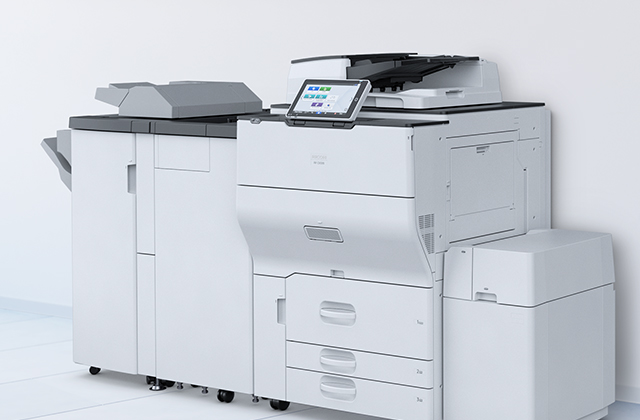
Take the labour out of the labour intensive jobs in your Central Reprographic Department (CRD) or copy shop! Scan, merge, edit, archive and print documents fast, with the greatest ease, at minimal costs. DeskTopEditor For Production offers the ideal solution to reduce your Total Cost of Ownership. In combination with Ricoh’s high volume devices, this powerful scan editing and document management software provides output of superior quality. True production power for CRDs and copy shops! DeskTopEditor For Production:
• covering all your editing and imposition needs
• extremely easy to use and time saving
• high input versatility, superb productivity and scalability
• adds value to your Ricoh high volume devices thanks to seamless integration |
FUNCTIONS |
|
| Registration | | | Scanner input, document server data, distributed documents, new application file | | |
|
| Search | | | Broad search, specific search | | |
|
| Document operation | | | Merge, view, search, archive, add notes, re-store backups | | |
|
| Conversion | | | OCR conversion, image conversion, PDF conversion (requires Adobe® Acrobat® Reader™) | | |
|
| English, German, French, Dutch, Italian, Spanish |
| SYSTEM REQUIREMENTS |
|
| Display | | | 800 x 600 pixels or higher (1,024 x 768 pixels or more recommended) | | |
| 64 K colours or higher recommended | | |
|
| OS | | | Windows® 2000 Professional (SP4 or later) | | |
| Windows® 2000 Server (SP4 or later) | | |
| Windows® XP Home Edition (SP2 or later) | | |
| Windows® XP Professional (SP2 or later) | | |
| Windows® Server 2003 (SP1 or later) | | |
|
| CPU | | | Intel Pentium III 600 MHz or faster recommended | | |
| Intel Pentium III 2 GHz or faster recommended for editing multi-bit images | | |
|
| RAM | | | 256 MB or more (512 MB or more recommended for editing multi-bit images) | | |
|
| HDD | | | 50 MB of free disk space is required for the program | | |
| 200 MB or more free disk space recommended for saving documents (depending on users) | | |
|
| REQUIREMENTS |
| | • Printer/scanner option for support on MFP |
| • File format converter (required when uploading or downloading files to or from the MFP’s Document Server) |
| • Adobe® Acrobat® Reader™ is required for PDF conversion |
| For further details, system requirements and availability of compatible multifunctional products, please consult your local supplier.
All brand and/or product names are trademarks of their respective owners. Specifications are subject to change without prior notice. |
|
|
|  | |
|